The AI assistant helps you create content in ovos play quickly and efficiently.
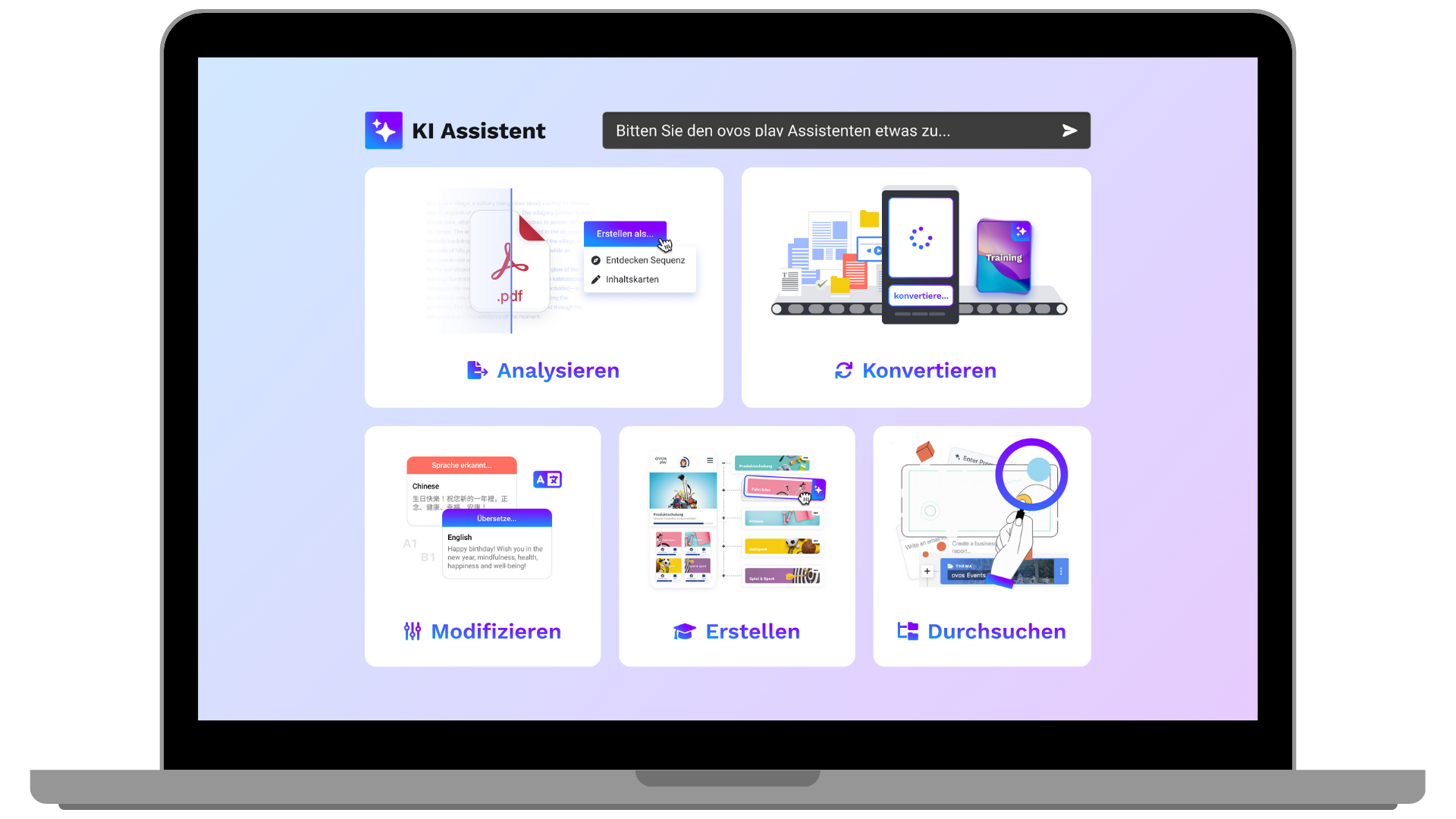
In general, the AI assistant offers the following options:
Create a learning structure for the library
Create a learning path
Create practice questions
Create an exam
Create live presentations
Offer help from the ovos play knowledge base
Create images and voice-overs
Create summaries of learning content
Below we break down the features in more detail:
Library structure: Suggesting and creating complete topic/section/phase hierarchies from scratch or based on uploaded documents or websites
Decks: Creating, updating, and deleting card decks (types: normal, exam, live presentation, and challenge)
Cards: Creating learning and assessment cards in different formats
Exams: Creating exams with configurable pass thresholds and maximum attempts
Live presentations: Creating presentations for live sessions with lecture and challenge phases
Glossary: Creating and managing glossary entries; linking glossary terms within card content
Competencies: Creating, updating, and linking competencies to individual cards or entire decks
Bulk operations: Create many elements at once (e.g. “Create one topic with 5 decks”)
Update & delete: Change or remove any content elements (topics, phases, decks, cards, glossary, competencies)
Recommendations: Manage recommendations for follow-up content between decks
Tagging: Add tags to library elements or remove them
Linking cards and decks: Link/unlink cards with decks with support for question pools in exams
Image generation: creating images with AI from text prompts
Image description: AI-powered image analysis and description
Text-to-speech: generating spoken output from text (multiple voices) and assigning it to cards
Video transcription: transcribing video audio into text
Extracting video frames: extracting still frames from video files
File management: reading uploaded documents (PDF, DOCX, spreadsheets, etc.), extracting content, and using it as context
Semantic search: AI-powered search across all decks and cards
Search library: Search topics, phases, decks, and cards by name or ID
Web search & crawling: Search the web or scrape specific URLs to use them as source material
Knowledge base: Search the ovos play help center for guides on the platform
File search: Search within uploaded document contents
All suggestions are shown as previewable, editable artifacts before being applied:
Card suggestions: Preview and revise card content before creation with preview and download option
Structure suggestions: Preview complete library hierarchies before creating them
Presentation suggestions: Preview live session presentations before creating them
Markdown documents: Create downloadable PDFs, reports, notes, and summaries based on the learning content
Artifacts also support versioning (users can request changes) and patching (targeted edits without regenerating everything).
Context-aware: Understands content attached to the conversation thread (documents, decks, cards, images, audio, video)
Admin links: Creates direct links to any items in the admin dashboard
Date awareness: Knows the current date for time-critical tasks
Working memory: Can create and manage internal notes during a conversation
Conditional features: Glossary tools are only available when the glossary module is activated per tenant