
This article describes a feature of the ovos play Authoring Tools and can only be used with the corresponding update.
When you create a learning deck in the AI assistant, you can view the suggestion as a web package and also download it as HTML. To do this, click on the eye in the icon bar and choose the function you want.
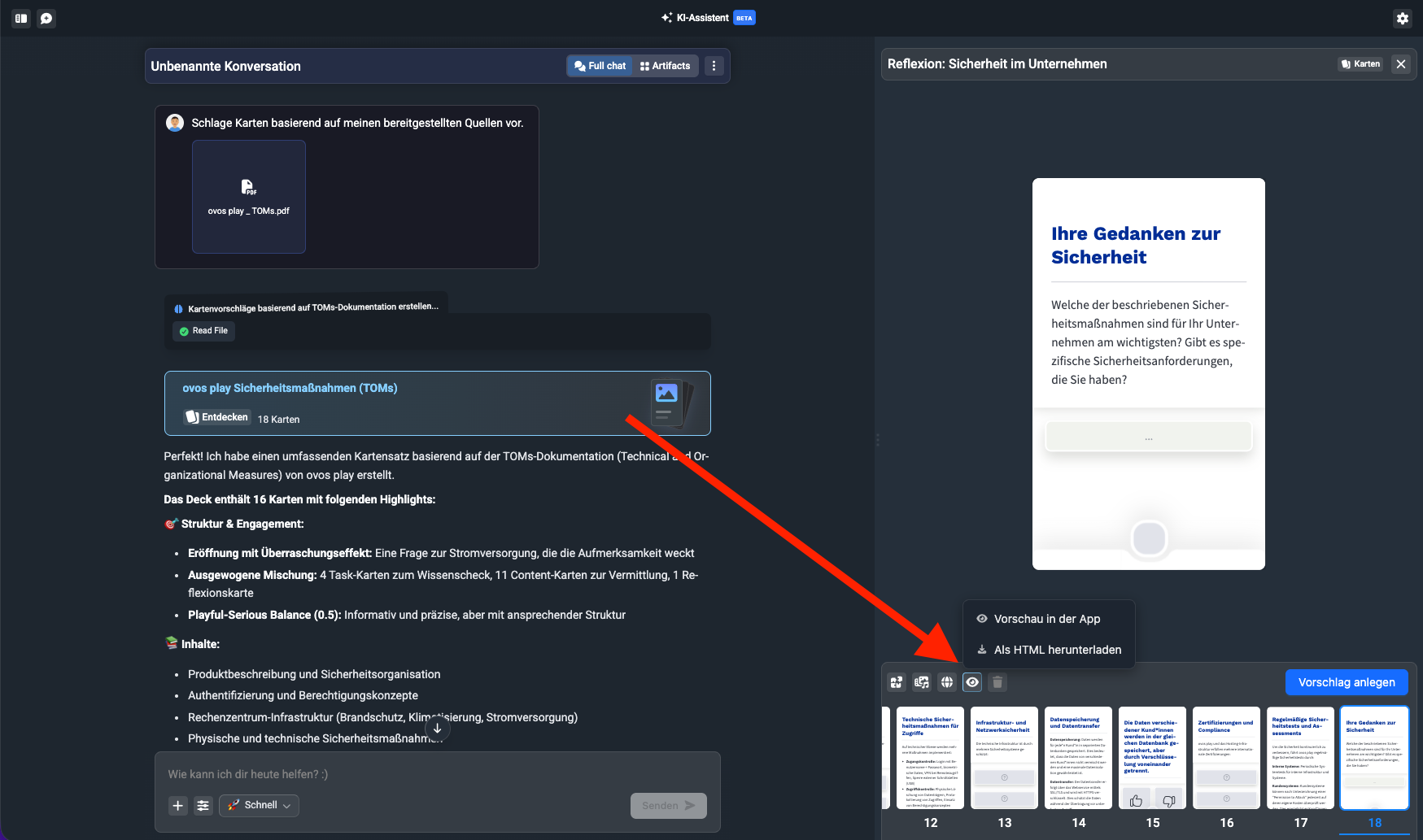
The preview opens a new browser tab with the static version of the suggestion. So the suggestion isn’t visible to learners in the app, only to you on your device.
The HTML download downloads a folder of files. To use the HTML package, you can upload it to your LMS or place it on an FTP server so it can be accessed via a web URL.
If you’re happy with the preview, you can use the “Create” button to permanently save the element in the library and make it visible to learners.